
How much is your Valorant collection worth?
Updated September 25, 2026
Valorant never tells you what your collection is worth. The only way to know is to add up the store price of every skin you own, because that is the only price Riot ever puts on them. VALODEX does that sum and can print it on your card, but treat it as an estimate of what you spent, not an official valuation.
Why the game has no total
Prices in Valorant only exist in the store, and only while something is buyable. The moment you own a skin it stops being a product and becomes part of your account, so the client has no reason to keep showing a number next to it.
The Collection tab is built around a different question: for this gun, which skins can I use? That is why it is one weapon at a time, and why there is no sort, no sum and no export anywhere in it.
Your VP balance does not help either. It tells you what is left, not what you have already spent, and it does not remember where any of it went.
How a collection value is worked out
Every skin belongs to a tier, and every tier has a base price in VP. Add the base price of each skin you own and you have the list-price total for your collection.
The ladder is the same one the store uses, from cheapest to most expensive:
- 01Select tier — 875 VP
- 02Deluxe tier — 1,275 VP
- 03Premium tier — 1,775 VP
- 04Exclusive tier — 2,175 VP
- 05Ultra tier — 2,475 VP
What moves the number away from the list price
Bundles are the big one. A bundle almost always costs less than buying its skins separately, so if a lot of your collection came from bundles, your real spend is below the list-price total. A five-skin Premium bundle is usually priced like four skins and a bonus.
The Night Market is the other one. Those offers are discounts, so anything you picked up there counts at less than its list price. Daily store discounts work the same way.
Region matters too. VP is sold in local currency, and the same tier can work out slightly differently depending on where you play. The tier price above is the usual number in most regions, not a fixed global constant.
Battle pass items are their own case. Pass skins are earned rather than bought at a listed price, so there is no store price for the app to add. VALODEX shows them in your collection, but they contribute nothing to the total.
See your own total in VALODEX
The app keeps a price for each skin as you add it, then adds them up for the card. You do not have to do any of the arithmetic.
- 01Open valodex.app/create.
- 02Import your Riot account, or add your skins by hand from the browser.
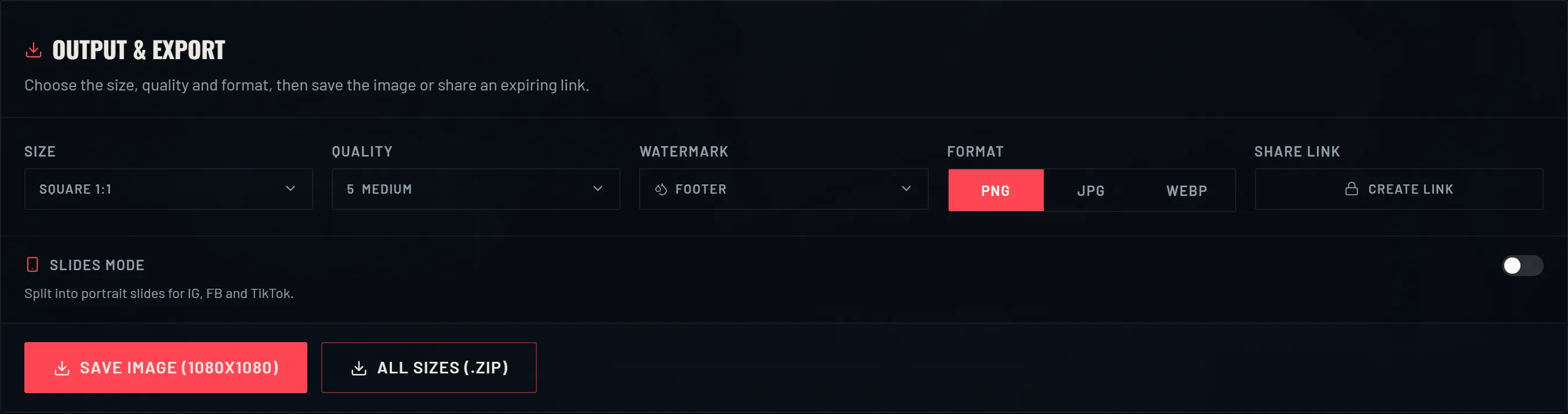
- 03In the output panel, make sure Skin prices and Total spend are switched on.
- 04Read the total on the card. It updates as you add or remove skins.
Why it is an estimate, not a valuation
Two collections can hold the same skins and have cost two different amounts, because of bundles, discounts and region. The total is what your skins would cost at list price today, not a receipt and not a resale figure.
It is also not a market price. Riot's terms do not allow selling or trading accounts, so there is no legitimate resale value to quote. The number is for your own curiosity and for showing off, and nothing more.
Prices can change between patches as well. If Riot adjusts a tier, the estimate moves with it, which is another reason to read it as a guide rather than a promise.
What the number is actually good for
It is a clean answer to the question every collector asks at some point: how much have I put into this? Seeing one figure is more satisfying than scrolling the collection and guessing.
It is also handy before a bundle purchase. If the bundle is mostly skins you already own, the total tells you how much of it would be new to you versus a duplicate.
And it looks good on the card. A collection total in the corner reads like a receipt for the arsenal, which is exactly the kind of detail people zoom in on.
Frequently asked questions
- Is the total VALODEX shows accurate?
- It is accurate as a list-price total: it adds the store price of each skin you own. It cannot know about a bundle discount, a Night Market deal or regional pricing, so it is usually a little higher than what you actually paid.
- Does it include battle pass skins?
- No. Battle pass items have no standalone store price, so they show in your collection but add nothing to the total.
- What is the most expensive tier?
- Ultra, at around 2,475 VP, followed by Exclusive at 2,175 VP and Premium at 1,775 VP. Melee skins follow the same tiers as guns.
- Can I use this number to sell my account?
- No. Selling or trading Valorant accounts is against Riot's terms, and the total is not a resale price anyway. It is for your own reference.
- Do chromas add to the total?
- Not separately. A chroma is part of the skin rather than a second store listing, so the skin is counted once at its tier price.
Keep reading
- How to view your Valorant skin collectionWhy the game has no full skin list, and how to see everything you own.
- How to make a Valorant inventory cardThe whole walkthrough: import your skins, pick a layout, save a card you can post.
- How to share your Valorant collectionPNG, slides and zip exports, plus how the expiring share links work.
- How to organize your Valorant skin collectionSorting, bundle merging and display toggles that make a big collection readable.
- Valorant skin prices: what skins cost in VPWhat skins cost by tier, and why the price you paid can differ from the list.
- Valorant card sizes for social mediaThe right export size for every place you post a collection card.
Choosing a look? Compare every template side by side.