Valorant card sizes for social media
Updated September 25, 2026
Pick the size by where the card is going, not by what looks best in the editor. A square fits a feed and chat, 9:16 fits stories and short video, 4:5 gives a feed post more height, and the wide presets are for banners and wallpapers. VALODEX ships a preset for each, so you only have to choose one.
The three sizes that cover most posts
Square, story and portrait cover almost everything you will post. Start with one of these three unless you are making a banner, a cover or a wallpaper.
- 01SQUARE 1:1 — 1080 x 1080. Feed posts, profile grids, Discord and chat.
- 02IG STORY 9:16 — 540 x 960. Stories, Reels, Shorts and TikTok.
- 03IG PORTRAIT 4:5 — 1080 x 1350. Feed posts that should take more height.
Stories and short video
Stories, Reels, Shorts and TikTok all want a tall frame, and the 9:16 preset is built for it. One card at 9:16 works for a small collection. A big collection gets unreadable, which is what slides mode is for: it splits the sorted collection across several 9:16 frames, each one a page you can actually read on a phone.
Export all the slides as a zip when they are done, then either post them in order or drop them into an editor as a sequence.
- 01Turn on Slides mode in the output panel.
- 02Keep the 9:16 preset selected.
- 03Set how many skins go on each slide and page through the preview.
- 04Export All slides (.zip) and post them in order.
Feed posts
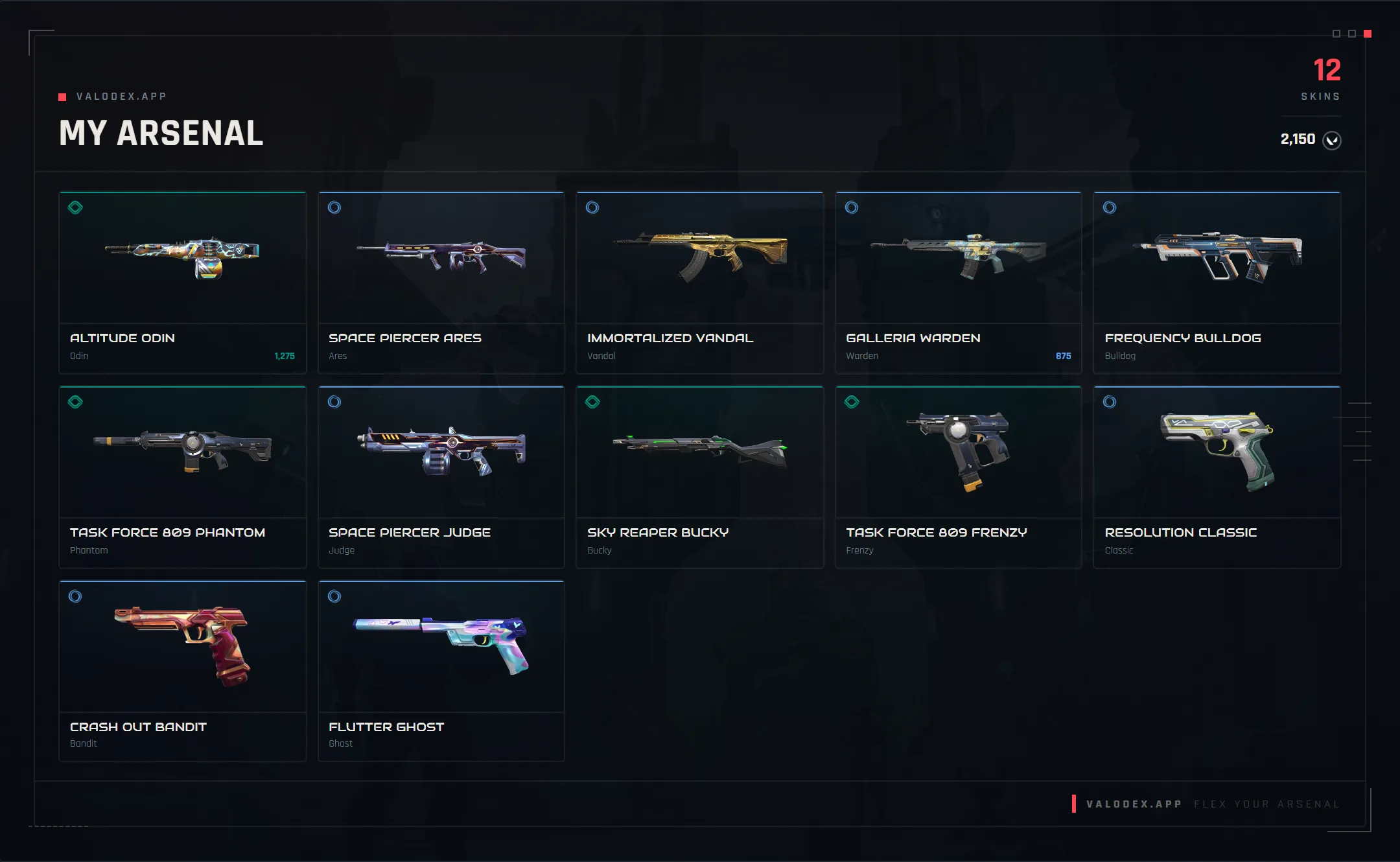
A square is the safe feed post: it survives cropping on every platform and reads well in a grid. It is also the best size for a collection that is wide rather than deep, since the four columns of tiles sit comfortably in a square.
4:5 is the upgrade when you want the post to take up more vertical room in a feed. It holds more tiles than a square at the same readability, so it is the better pick for a large collection that needs to stay in one image.
Discord, chat and forums
Chat apps shrink anything large, so a square PNG at a sensible size is the one that survives. If the file needs to be small, switch to JPG or WEBP and lower the quality a notch; skin art compresses well enough that you will barely notice.
For a server showcase where people will actually stop and read, keep tier icons on and consider turning skin names off. Fewer labels survive the shrink.
Wallpapers, banners and covers
The remaining presets are for places that are not a feed. WALLPAPER 16:9 at 1920 x 1080 is a desktop wallpaper, and WALLPAPER MOBILE 9:16 at 540 x 960 matches a phone screen. LANDSCAPE 16:9 at 1280 x 720 and WIDE 2:1 at 1200 x 600 are general-purpose headers.
The thin shapes are for site chrome: TWITCH PANEL is 7:1, YOUTUBE BANNER is 6:1, LINKEDIN BANNER is 4:1 and BANNER is 3:1. They are long and short, so they suit a title strip or a header rather than a full collection. Expect to lower the number of skins if the layout looks stretched.
FB COVER and TWITTER POST are both 16:9 at 1280 x 720, which also works as a general video thumbnail size.
Pick the format and quality to match
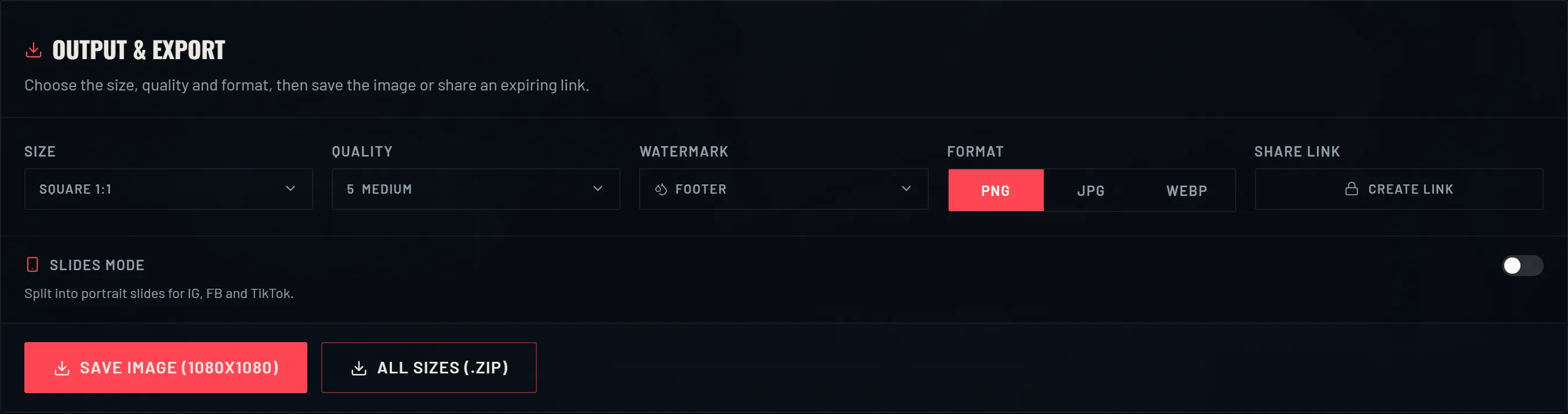
The size is only half the choice. PNG is the sharpest and has no visible compression, so it is the right default for a card with fine text or detailed skin art. JPG and WEBP trade a little quality for a much smaller file, which matters when a chat app has an upload limit.
Quality only applies to JPG and WEBP. Leave it high for skin art, because gradients and glow effects are exactly what compression ruins first. If a card has to survive being viewed small, choose the bigger preset and the sharper format rather than shrinking a compressed image.
If you are not sure, export the same card in two sizes and compare them where you plan to post. It takes a minute and settles the question faster than guessing.
Frequently asked questions
- What size should a Valorant card be for Instagram?
- 1080 x 1080 (SQUARE 1:1) for a feed post, 1080 x 1350 (4:5) when you want more height, and 540 x 960 (9:16) for a story or Reel.
- What size works for TikTok?
- 9:16. For a big collection, turn on slides mode so the cards are split into readable 9:16 frames instead of one crowded image.
- PNG or JPG for a collection card?
- PNG for the sharpest result, especially with text and detailed skin art. JPG or WEBP when the file needs to be small, such as a chat upload limit.
- Why does my card look blurry when I post it?
- Two common causes: a compressed format at low quality, or a small preset being scaled up by the platform. Export PNG at a larger preset and it will hold up.
- Can I export one card in several sizes at once?
- Yes. All sizes (.zip) saves the current card at every preset in a single download, so you get a square, a 9:16 and the rest in one go.
Keep reading
- How to view your Valorant skin collectionWhy the game has no full skin list, and how to see everything you own.
- How to make a Valorant inventory cardThe whole walkthrough: import your skins, pick a layout, save a card you can post.
- How to share your Valorant collectionPNG, slides and zip exports, plus how the expiring share links work.
- How to organize your Valorant skin collectionSorting, bundle merging and display toggles that make a big collection readable.
- How much is your Valorant collection worth?How collection value is added up, and why the game never shows you a total.
- Valorant skin prices: what skins cost in VPWhat skins cost by tier, and why the price you paid can differ from the list.
Choosing a look? Compare every template side by side.